From Fuelio to Costmeter
Costmeter reads the CSV file Fuelio exports and adds the car in it with its whole log: refuellings, chargings, costs and incomes.
In short
- One CSV file per car, exported in Fuelio.
- The file is read on your phone and sent nowhere.
- The import adds a new car and leaves your log as it was.
Step 1 · Fuelio
Export the car in Fuelio
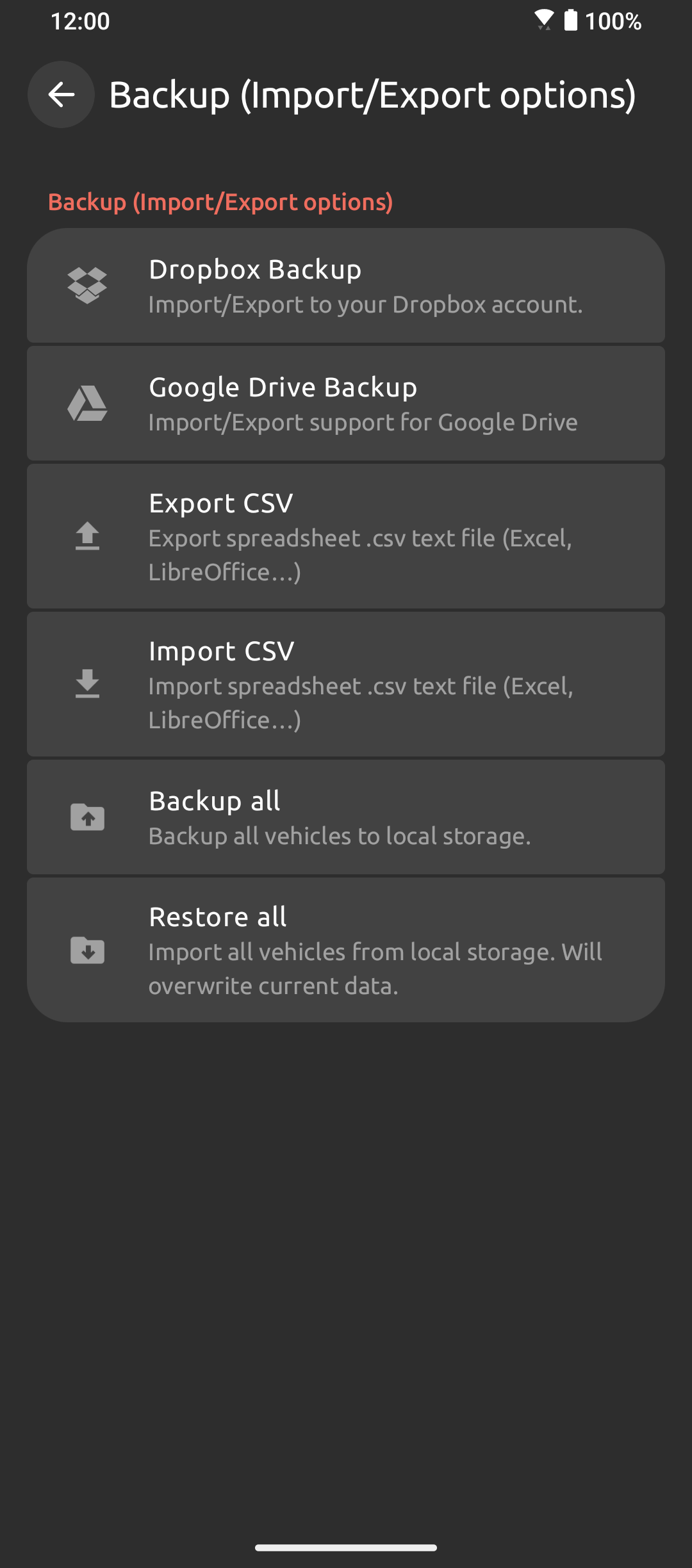
In Fuelio, open the menu, then Settings, and pick Create/Restore under Backup (Import/Export options).
Tap Export CSV and pick the car you want to move.
Save the file on your phone, in Downloads for example.
The file holds one car. Have several? Export each one and import the files one after another.
Step 2 · Costmeter
Import the file in Costmeter
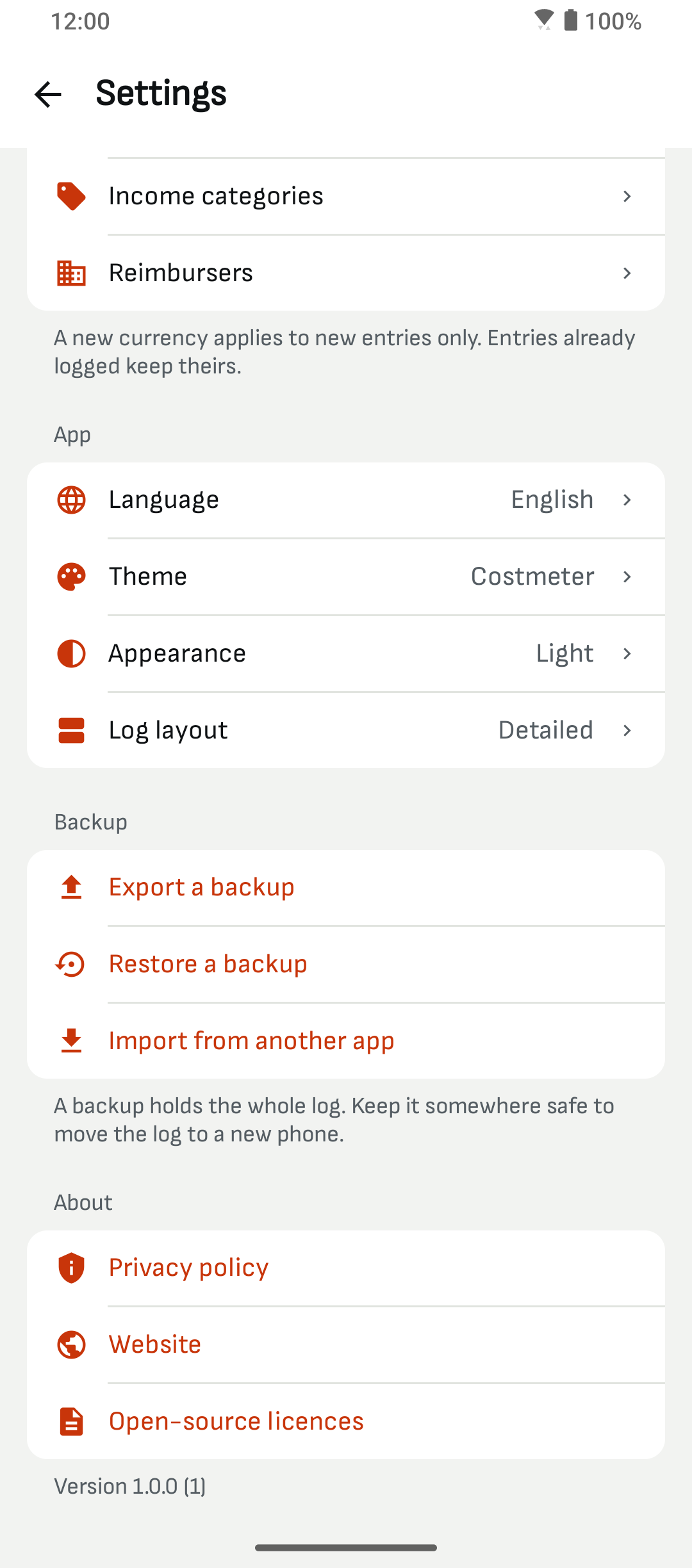
In Costmeter, open Settings from the top bar and pick Import from another app under Backup. On the first start the same button waits on the welcome screen, once you have picked the currency and units.
Pick the saved file. Costmeter tells by itself which app it comes from.
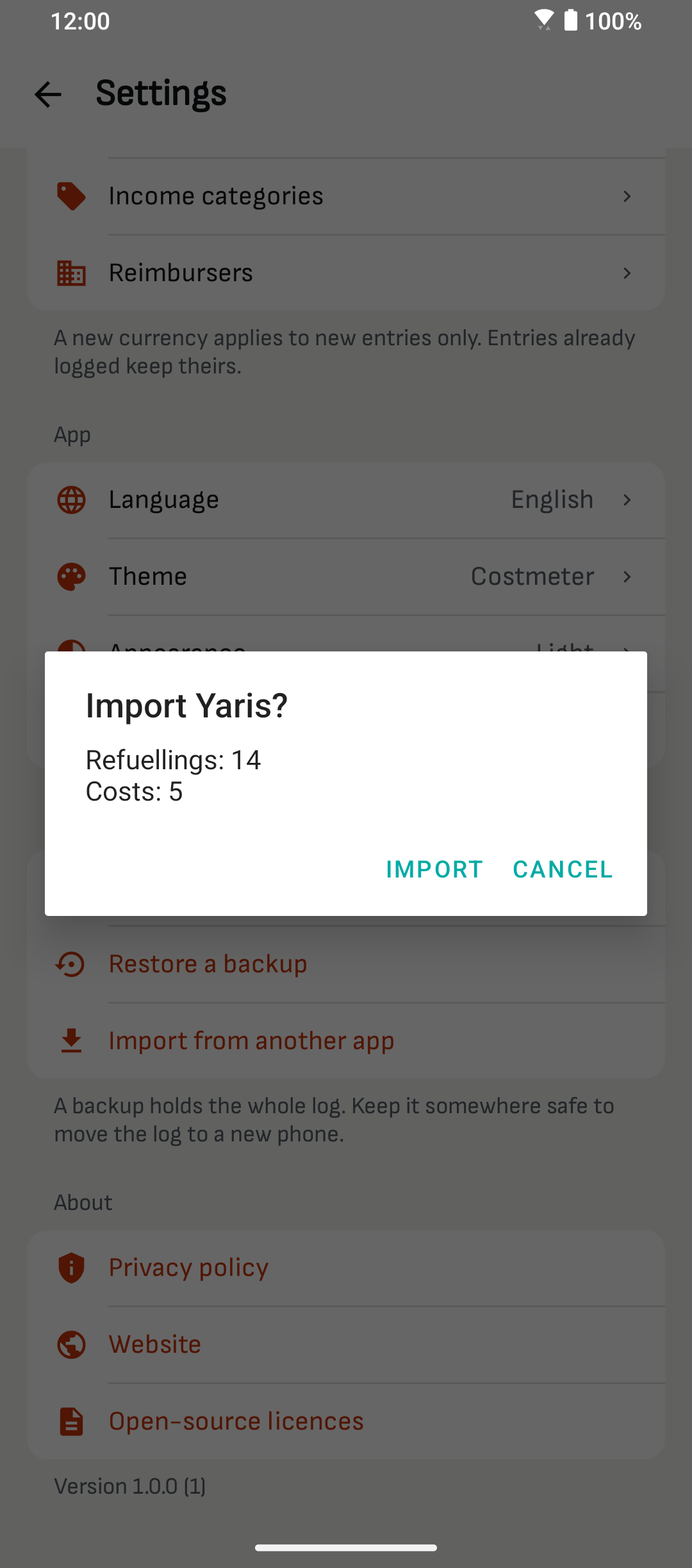
Read the summary: the car’s name and how many refuellings, costs and other entries it brings. Tap Import.
Costmeter adds the car to your log and says how many entries it left out.
Set the currency and the time zone first: the file’s amounts take Costmeter’s currency and its dates are read in Costmeter’s time zone.
What comes over and what stays
Comes over
- The car: its name, make, model, production year, VIN, registration plate, units and tank capacities.
- Its description, as a note on the car.
- Refuellings: the date, odometer reading, quantity and cost, a full or a partial fill-up, a missed one before it, and the note.
- The fuel grade, such as 95, 98 or premium diesel; any other name goes into the note.
- Chargings of electric cars and plug-in hybrids, with AC or DC.
- Costs: service and maintenance as services, the rest as expenses, in Costmeter’s categories or in your own under Fuelio’s name.
- Incomes, that is costs Fuelio marks as an income.
Stays in Fuelio
- Reminders set on costs, and a cost of nothing kept only for its reminder.
- Cost templates, which Fuelio keeps apart from the costs.
- Stations, cities and GPS positions of refuellings.
- Consumption as Fuelio works it out: Costmeter works it out from the refuellings itself.
- Photos, which the CSV file does not hold.
- A refuelling in a unit Costmeter does not measure its fuel in, such as CNG in cubic metres.
Good to know
Always a new car
An import merges nothing. The same file imported twice adds the car twice; delete the extra one like any other.
A typo in the odometer costs one entry
Of the odometer readings, the longest run that rises with time stays. A refuelling outside it, or without a reading, is left out; a cost outside it loses its reading.
A wrong VIN or production year
stays out of Costmeter, and the summary names it before anything is saved.
A name, a make, a model and a drive
A car without a name, make or model, or with tanks no Costmeter powertrain combines, does not come in: the whole file is refused.
A failure saves nothing
An entry Costmeter’s rules refuse is left out and counted. Any other failure saves nothing, and the import can be run again.
Trips are kept
Costmeter keeps them with the car, though it does not show them yet.
The Fuelio name belongs to its owner. Costmeter is an independent app with no tie to Fuelio or its makers, and names it only to say that it imports from it.